Appearance
Button field
Use Button for an explicit respondent action that standard automatic buttons do not cover.
Example: link to preparation guidance
- Select Fields > Other > Button.
- Set the button caption to
Read the document requirements. - In Click action, select Follow Link.
- Enter the approved HTTP or HTTPS Link to follow and choose the Link frame. A blank/new frame usually lets the respondent keep their form progress.
- Preview and select the button. Confirm the correct target opens and the form remains available.
Other click actions
Choose Submit Form, Reset Form, Previous Page, Next Page, Show Page, or Save for later only when that action is intentional and tested with the form’s automatic buttons and rules. A Reset action can discard work.
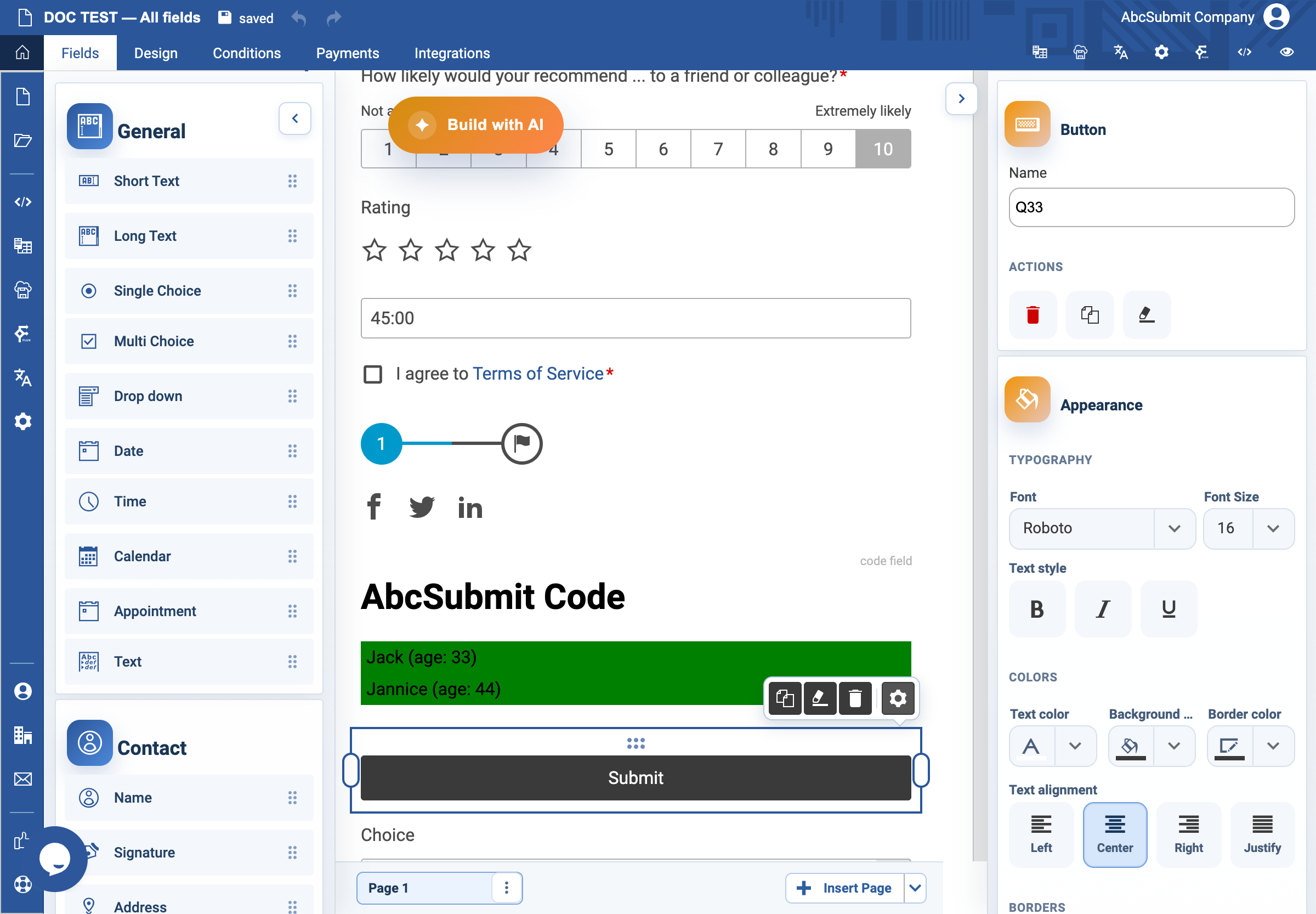
Button row and selected-field toolbar
The Button field has the standard selected-field bottom toolbar: Duplicate field, Clear formatting, Delete field, and Open field settings. The form’s automatic button row is separate: select the automatic buttons at the bottom of a page to edit an individual button’s caption, alignment, color, or typography. The row can add Save, Reset, or Print, or use Hide page buttons to disable automatic page buttons. Keep custom Button actions distinct from this row and test their interaction on every page.